




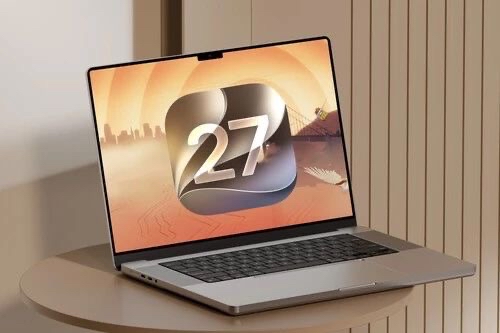

Apple has taken another major step forward with macOS 27 Golden Gate, an update that combines artificial intelligence, visual enhancements, and powerful new features designed to boost productivity. While many of the biggest improvements are powered by Apple Intelligence, the operating system also introduces significant upgrades to apps such as Safari, Photos, Calendar, and its integration with the iPhone.
If you use a Mac every day, these are the ten features you’ll notice immediately and the ones that make macOS 27 Golden Gate one of the most exciting updates in recent years.
1. Siri AI Takes a Huge Leap Forward
The biggest highlight of macOS 27 Golden Gate is the new Siri AI. Apple‘s assistant moves beyond its previous limitations by offering much more natural conversations and a deeper understanding of context.
It can now help you write text, answer complex questions, manage reminders, create calendar events, and perform system actions using natural language. All of this is seamlessly integrated throughout the Mac experience.
2. Apple Intelligence Expands Across More Apps
Another major improvement is the broader integration of Apple Intelligence. In macOS 27 Golden Gate, intelligent features are now available in apps such as Photos, Messages, Safari, and many other built-in applications.
Users can summarize information, generate content, enhance images, and automate everyday tasks without relying on third-party software. The result is a smoother and more productive experience for every Apple user.
3. Visual Intelligence Comes to the Desktop
Visual Intelligence is now available on the Mac.
This feature allows users to analyze virtually anything displayed on the screen to retrieve additional information or perform relevant actions.
For example, it can identify objects, copy useful information, or provide intelligent shortcuts without requiring you to leave your current application.
4. Liquid Glass Is More Customizable Than Ever
One of the most welcome changes is the updated interface. macOS 27 Golden Gate introduces new controls that allow users to adjust the transparency level of the Liquid Glass design.
Many users wanted a cleaner and easier-to-read interface. With these new customization options, everyone can personalize the desktop appearance to better match their preferences and improve readability during long work sessions.
5. Safari Adds Useful Productivity Features
Safari continues to evolve with several enhancements focused on productivity.
Among the most useful additions is the ability to receive notifications when a website updates its content, along with new intelligent browsing tools that help users stay organized while surfing the web.
These improvements make Apple‘s browser an even stronger competitor against other web browsers.
6. Photos Gets Smarter with AI
The Photos app receives some of the most impressive features in macOS 27 Golden Gate.
Users can now automatically reframe images using artificial intelligence to improve photo composition. The app also includes new editing tools that simplify image enhancement for both casual users and professional photographers.
7. Calendar Understands Natural Language
The Calendar app becomes significantly smarter.
Instead of manually filling in every event detail, users can simply type something like “Lunch with John tomorrow at 2 PM,” and the system automatically creates the corresponding calendar event.
This small improvement makes organizing your daily schedule much faster on any Mac.
8. Better Integration Between iPhone and Mac
The iPhone Mirroring feature continues to improve.
macOS 27 Golden Gate introduces new capabilities that make remotely controlling an iPhone from a Mac even more powerful and flexible.
For users who constantly switch between devices, this tighter integration creates a much smoother workflow.
9. Improved Performance on Apple Silicon
By focusing exclusively on Apple Silicon processors, macOS 27 Golden Gate delivers even better hardware optimization.
Applications launch faster, animations feel smoother, and the operating system responds more quickly, even during demanding tasks.
This approach allows Apple to maximize the full potential of its custom-designed chips.
10. Enhanced Support for Ultrawide Displays
Professional users will also appreciate several display improvements.
macOS 27 Golden Gate offers better support for high-resolution ultrawide monitors, allowing users to work with larger display configurations while automatically remembering monitor layouts whenever external displays are reconnected.
This enhancement is especially valuable for professionals who rely on multiple displays throughout their workday.
A Major Step Forward for the Future of the Mac
With macOS 27 Golden Gate, Apple is clearly moving toward a smarter, faster, and more connected operating system. The combination of Siri AI, Apple Intelligence, Liquid Glass customization, and new productivity tools makes this release a compelling upgrade for every Mac user.
Although many of these improvements may seem subtle at first, they have a meaningful impact on everyday use. From better organization and enhanced workflows to AI-powered tools that save valuable time, macOS 27 Golden Gatedemonstrates that the future of the Mac is becoming increasingly intelligent, personalized, and efficient.